
SSGC Duplicate Bill Online Check
See your latest Sui Southern Gas bill in under a minute. All you need is the 10-digit Customer Number printed on any old SSGC bill.
Your SSGC Bill in Under a Minute
If your paper bill is lost, late or damaged, the duplicate bill online is the same bill with the same amount and due date. Type your Customer Number above, confirm it once, and your current SSGC bill opens on the official portal. From there you can read it, download it as a PDF, or print it for payment.
| What you need | Your 10-digit SSGC Customer Number from any old bill |
|---|---|
| Where the bill opens | The official SSGC portal, viewbill.ssgc.com.pk |
| Cost | Free. Checking and downloading your bill costs nothing |
| Who it covers | SSGC customers in Sindh and Balochistan, including Karachi, Hyderabad, Sukkur, Larkana, Quetta and Gwadar |
| Wrong company? | If your home is in Punjab, Khyber Pakhtunkhwa or Azad Kashmir, your company is SNGPL. Use the SNGPL bill checker instead |
| Help and emergencies | SSGC helpline 1199, day and night. Call at once if you smell gas |
What Your SSGC Bill Looks Like
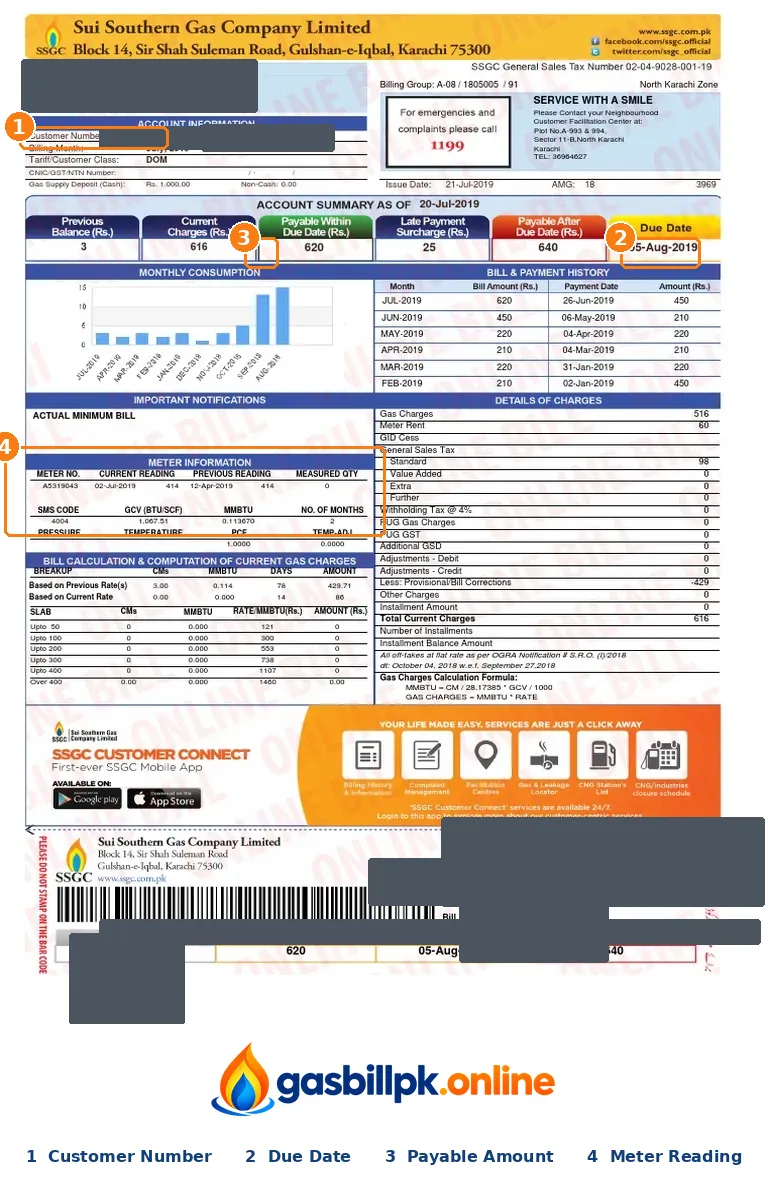
This is a real SSGC bill. The orange numbers show the important parts: 1 is your Customer Number, 2 is the due date, 3 is the amount to pay and 4 is the meter reading. Personal details on this sample are hidden for privacy.
How to Check Your SSGC Duplicate Bill, Step by Step
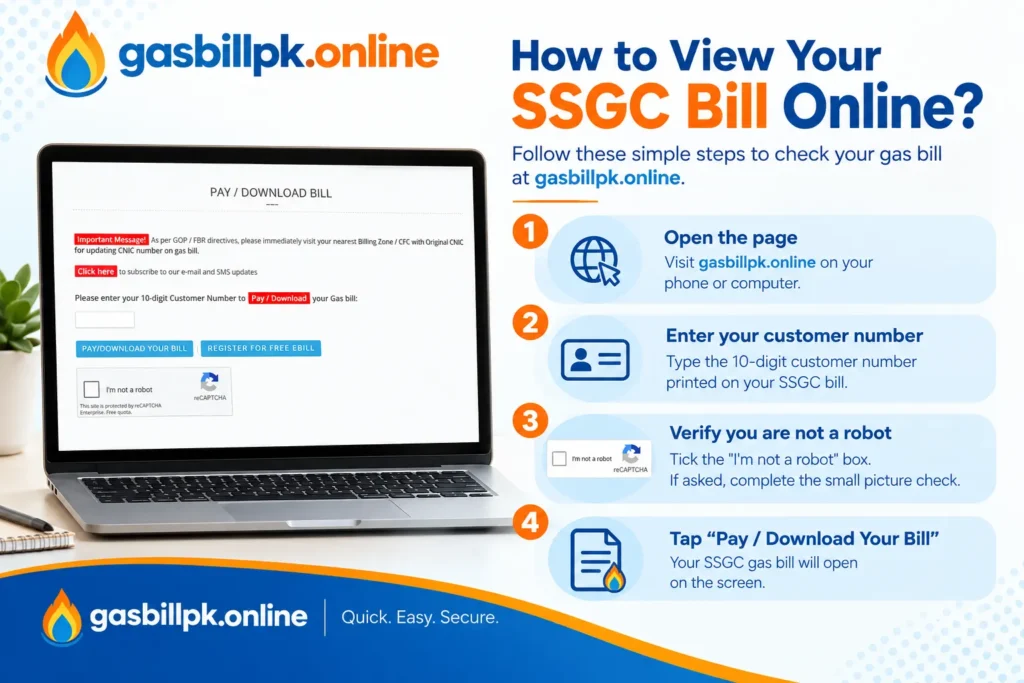
- Find your Customer Number. Take any old SSGC bill. The 10-digit Customer Number is printed in the customer information area and again on the payment slip at the bottom.
- Type it in the checker above. Enter digits only. The checker counts the digits for you, so a typing mistake is caught here instead of on the official site.
- Confirm your number. Read the number once against your old bill. One wrong digit opens the wrong record or no bill at all.
- Open your bill. Press the button and your latest bill opens on the official SSGC portal in a new tab. Check the amount and due date, then save or print it.
SSGC Bills in Winter: Why November Changes Everything
Gas use in Sindh and Balochistan jumps in winter. Geysers run longer, heaters come out, and a home that used very little gas in summer can cross into a higher slab without noticing. Because the rate of your slab applies to the whole month, a small rise in use can mean a much bigger bill.
Winter matters for one more reason. Your protected or non-protected category is decided mainly by your average use across the winter months, November to February. Homes averaging about 0.9 hm3 a month (90 m3) or less in winter stay protected and keep the low rates. One careless winter can move a home to the non-protected list for the whole year. Our gas bill calculator shows what your own units would cost in both categories, and the guide on protected vs non-protected customers explains how to stay protected.
What to Check After Your Bill Opens
Do not just look at the total. Give the bill one careful read, because mistakes are far easier to fix before the due date than after payment.
| Billing month and due date | Confirm the bill is for the current month and note the last date for payment without surcharge |
|---|---|
| Meter readings | Compare the previous and current readings with the numbers on your meter. A photo of your meter on reading day settles most disputes |
| Units and category | Check the units consumed and whether you are billed as protected or non-protected |
| Arrears and adjustments | An old unpaid amount or a correction of an earlier estimated bill may be added to this month |
| Charges | Gas charges, fixed charge, meter rent of Rs 40 and GST should each appear as their own line. Our guide on how to read your SSGC bill explains every line |
If Your SSGC Bill Is Not Showing
Check the number first
Almost every failed search is a typing mistake. Compare all 10 digits with an old bill, digit by digit. Do not use the meter number, which is printed on the meter itself and cannot open a bill.
Wait and try again
The official portal slows down when thousands of people check bills near the due date. Trying again after a few minutes, or early in the morning, usually works. In the first days of a month the new bill may not be generated yet.
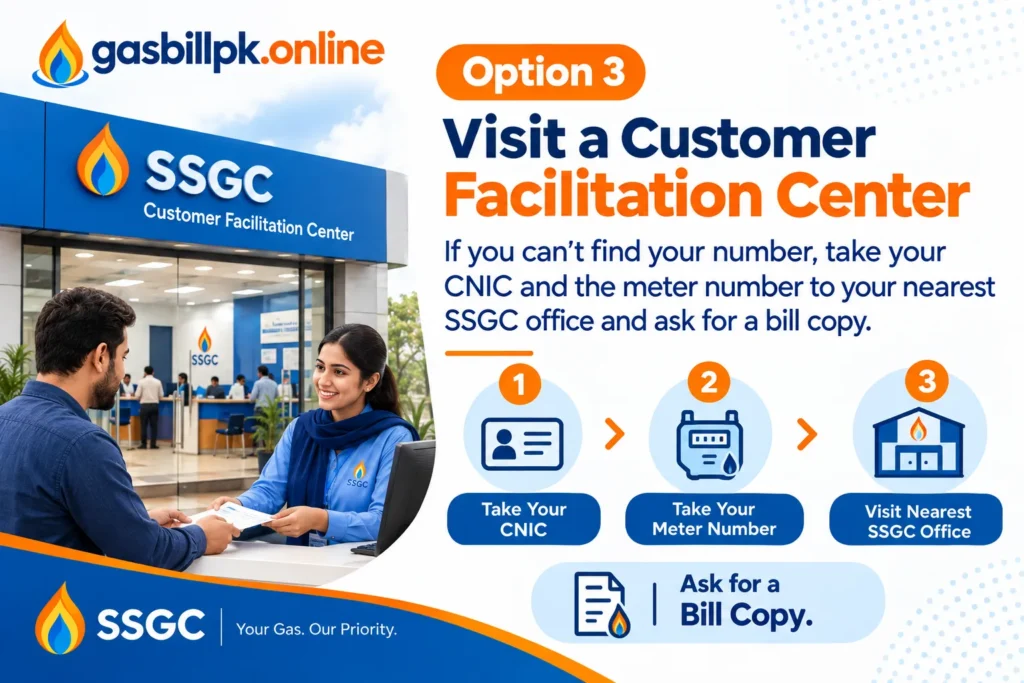
If the number is right and the bill still does not open, call the SSGC helpline at 1199 or visit your nearest Customer Facilitation Centre with your CNIC and any old bill.
Paying Your SSGC Bill
Once you know the amount, you can pay through JazzCash or Easypaisa, your bank's mobile app or internet banking, any ATM, or at a bank branch counter. You will need the same Customer Number for payment. Always keep the transaction ID or the stamped bill copy until the payment shows as received, and remember that paying after the due date adds a 10% late payment surcharge on a domestic bill.
To know the amount before the bill even arrives, estimate it yourself with the Sui gas bill calculator. The current slab rates behind it are listed on the SSGC tariff page.
Other Official Ways to Get Your Bill
SSGC Customer Connect app: SSGC's own mobile app shows your bill and billing history after you register your Customer Number once.
eBill by email and SMS: Register once on the SSGC website and your bill details arrive by email and SMS every month, so you never have to hunt for the paper bill.
Helpline 1199: For billing complaints, a missing bill, low pressure or a faulty meter, 1199 works day and night. For a gas smell or leakage, leave the area first and then call.

Frequently Asked Questions
How can I check my SSGC duplicate bill online?
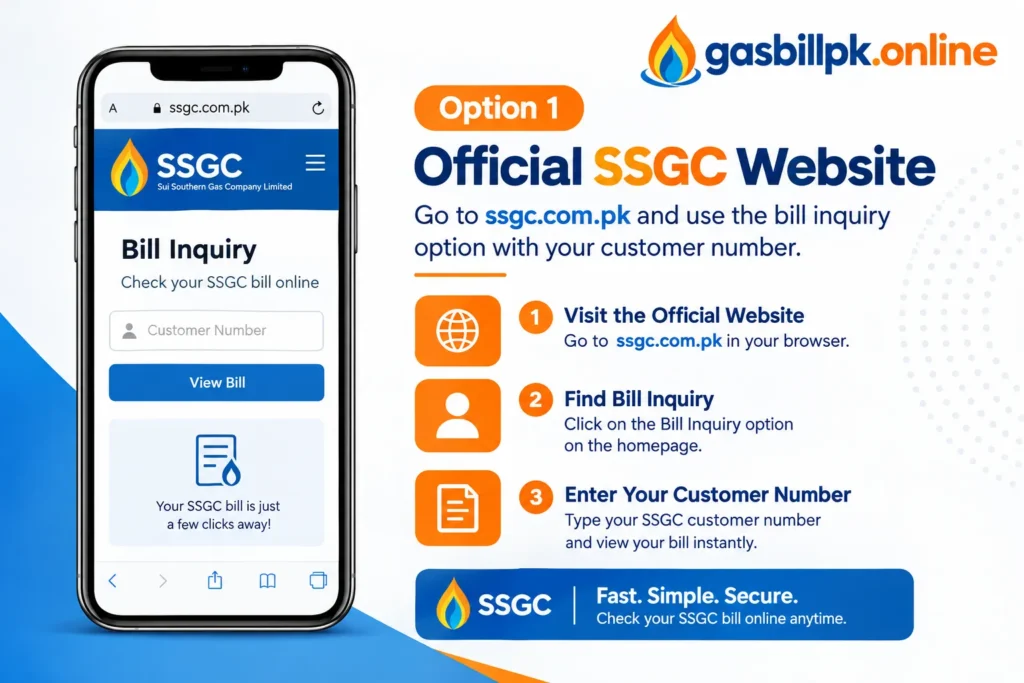
Find the 10-digit Customer Number on any old SSGC bill, type it in the checker on this page and open your bill on the official SSGC portal, viewbill.ssgc.com.pk. The bill opens in a few seconds and you can save it as a PDF.
Can I check my SSGC bill with my CNIC or name?
No. The SSGC online system works only with the Customer Number printed on your bill. Name, CNIC and address cannot open a bill online. If every old bill is lost, call the SSGC helpline 1199 or visit a Customer Facilitation Centre with your CNIC and they can help you recover the number.
How do I download or print my SSGC bill?
After your bill opens on the official portal, use your browser print option and choose Save as PDF, or print a paper copy. Banks and payment apps accept the printed duplicate bill the same way as the original.
Why is my SSGC bill not showing?
The most common reason is one wrong digit in the Customer Number. Copy all 10 digits again from an old bill. The official portal can also get slow near the due date, so trying again after a few minutes usually works. Early in the month the new bill may simply not be generated yet.
Why is my gas bill so high this month?
Winter use is the usual reason. Heaters and geysers push your monthly use into a higher slab, and one heavy winter can also move you from the protected category to non-protected, where rates and the fixed charge are much higher. Arrears, a late payment surcharge or an adjustment from an earlier estimated bill can also be added. Our calculator shows an estimate for your own units so you can compare.
What does protected and non-protected mean on my bill?
Protected customers are low-use households and pay lower slab rates with a fixed charge of Rs 600. Non-protected customers pay higher rates and a fixed charge of Rs 1,500 or Rs 3,000. The category is decided mainly by your average use in the winter months and it is printed on your bill.
How can I pay my SSGC bill?
You can pay through JazzCash, Easypaisa, your bank mobile app, internet banking, an ATM, or over the counter at a bank branch. Keep the transaction ID or stamped copy as proof. Paying after the due date adds a 10% late payment surcharge for domestic customers.
Is GasBillPK the official SSGC website?
No. GasBillPK is an independent guide. We check your number for typing mistakes, explain the bill in simple words and send you to the official SSGC portal, where your bill actually opens. We do not store your number or your bill.